 Game Shelf
Every game you've installed, on one screen.
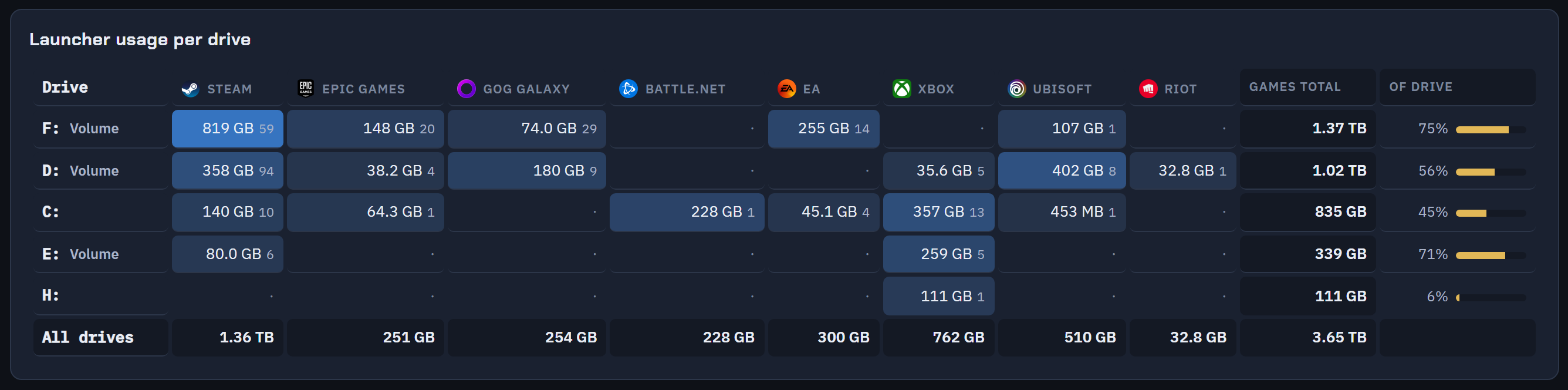
Game Shelf finds the games on your PC across Steam, Epic, GOG, Battle.net, EA, Ubisoft Connect and Xbox, shows what each one costs you in disk space, and starts them from one place. It reads the launchers' own records and writes nothing back.
Free. No account. MSI package for the same build.
SHA-256 of the installer:
ebce0c77e8943de08288bd382dc4d8c00c0988ec5b20281bcdbd3947408e906b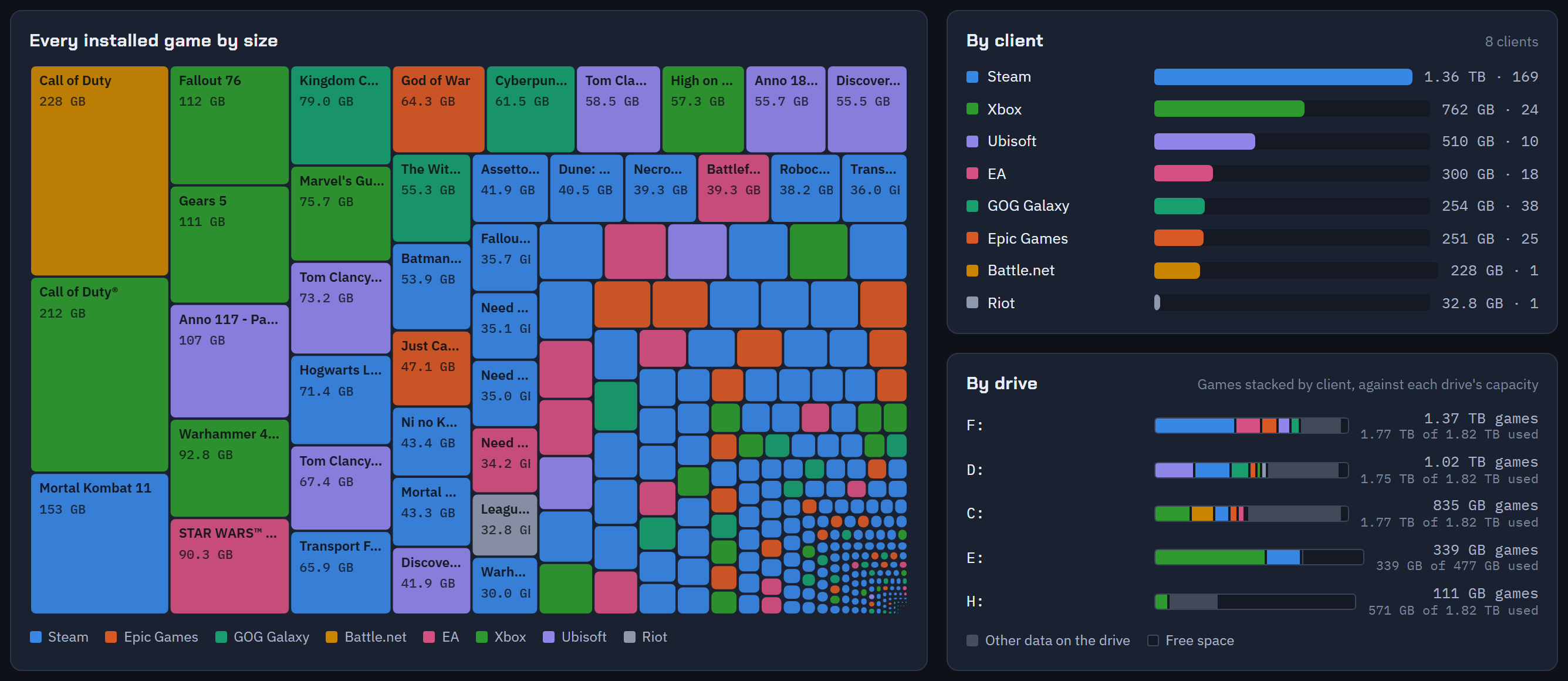
It asks the launchers, not you.
There is nothing to set up. Game Shelf reads where each launcher keeps its games from the launcher's own records: Steam's library folders, Epic's manifests, GOG's registry entries, Battle.net's config, the Xbox app's packages. It only reads. No value in the registry is ever changed.
The scan runs on its own when the app opens and again every fifteen minutes, so a game you install tonight is in the list tonight. The size per game is measured on disk, not taken from a store page.
Start anything from here.
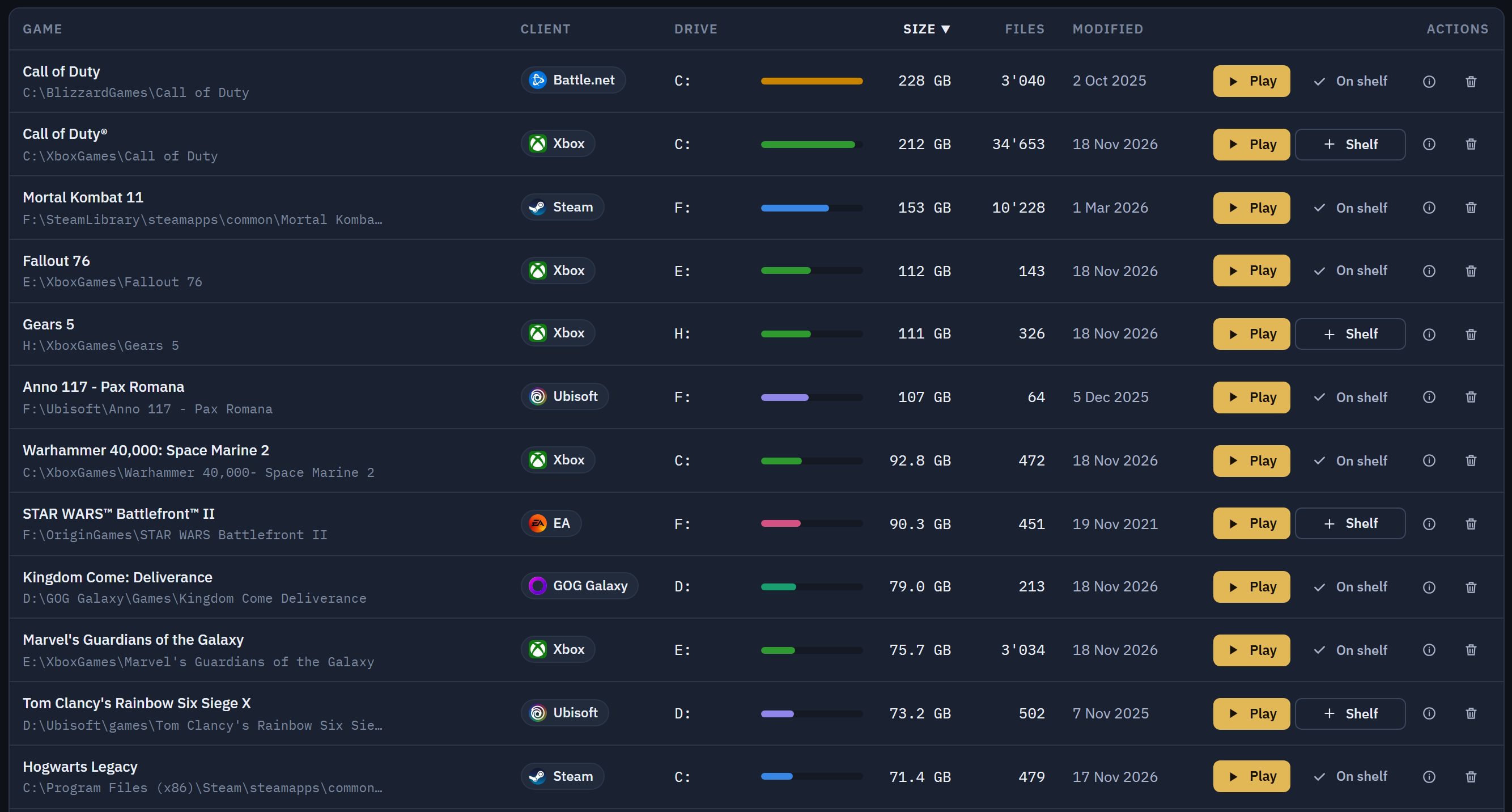
Play goes through the launcher the game belongs to. Battle.net games start through the Battle.net client, Epic games through the Epic launcher, Xbox games through the Xbox app. If the launcher is closed, Game Shelf opens it first and hands the game over once it is ready.
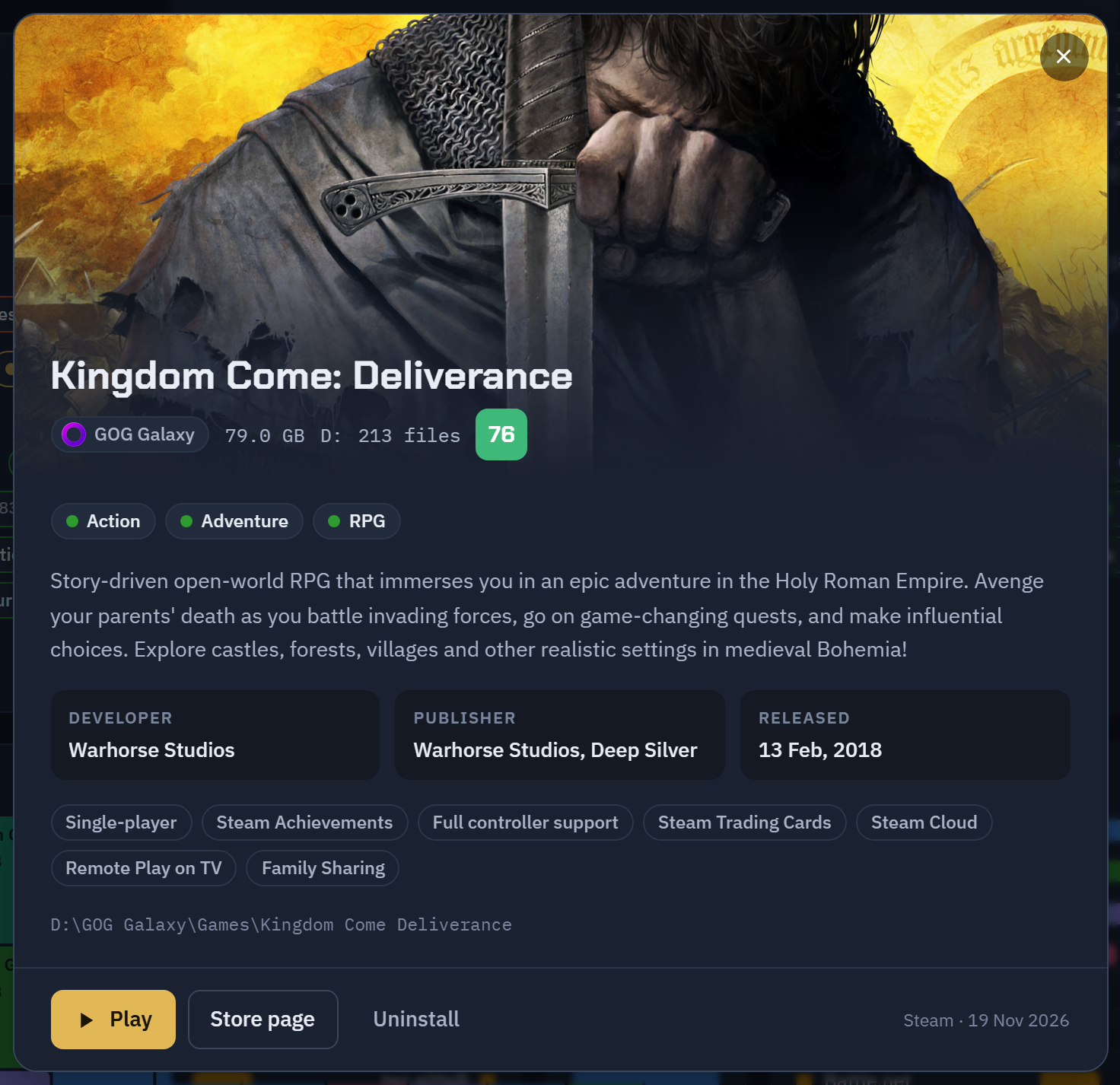
The same row shows the drive, the size on disk, the number of files and the last change. Uninstall is there too, through the launcher, for the launchers that allow it.
A shelf for what you actually play.
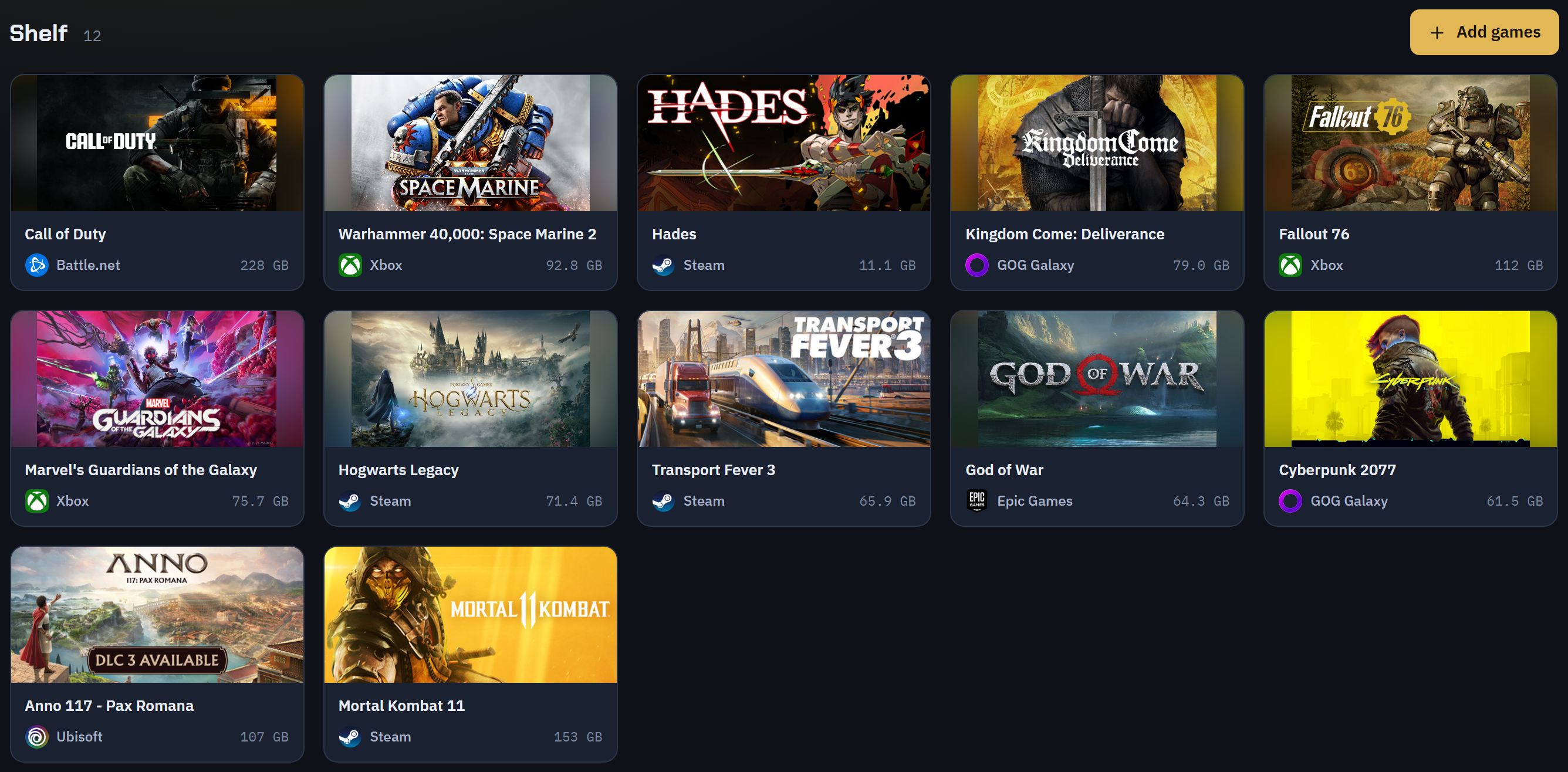
Pick your current rotation and keep it on its own page with cover art, launcher logo and size. Drag to reorder. Steam's own library art is used where it is on disk; everything else comes from the Steam store at full resolution.
Game info without typing.
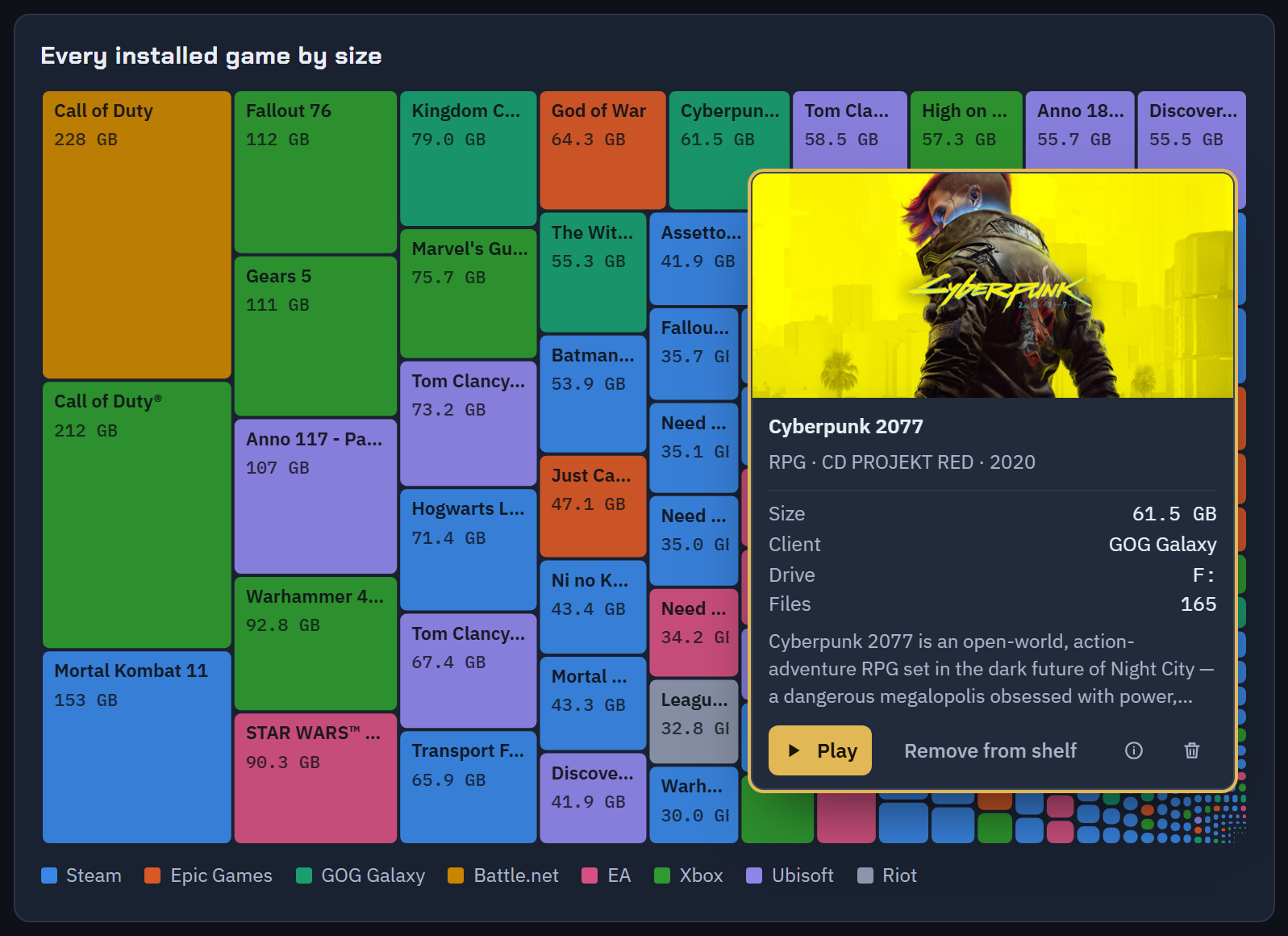
Genre, developer, publisher, release date, Metacritic score and a description for every game, matched automatically from Steam and Wikidata and kept on your PC. Hover a box in the size map for the short version; click it and the card stays so you can start the game from there.
Straight answers.
- Does it need an account?
- No. The only traffic leaving your PC is the game info lookup, which asks Steam's store and Wikidata about game names. There is no telemetry and no update check.
- Does it write to the registry?
- No. Every registry access is a read. The scanner is a plain PowerShell script that ships inside the app, so you can read exactly what it does.
- What about Xbox and Game Pass games?
- They are listed with their real size on disk and start through the Xbox app. Uninstalling them stays in the Xbox app, which is the only place Windows allows it.
- Will SmartScreen or my antivirus complain?
- The installer and the app are signed with a public code-signing certificate issued to Arbelet GmbH. A newly signed program can still see a reputation warning on its first days; the signature is what you check.
- Which Windows?
- Windows 10 and 11, 64-bit. The app uses the WebView2 runtime that Windows already ships with, which is why the download is 3 MB.
- What does it cost?
- Nothing.